You can customize how new order numbers are generated from the Orders page.
Steps
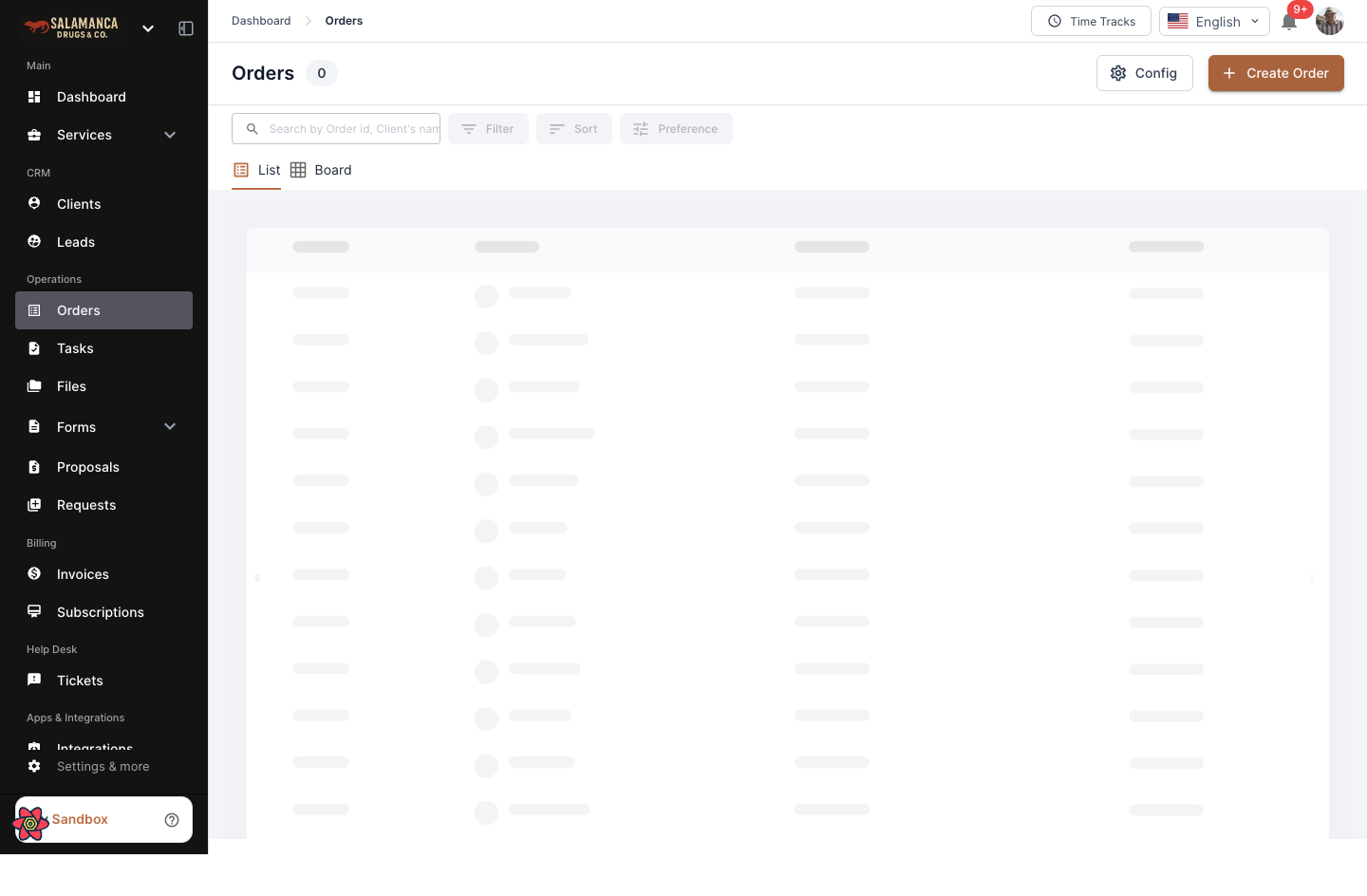
- Go to Orders.
- Click Config (top-right).
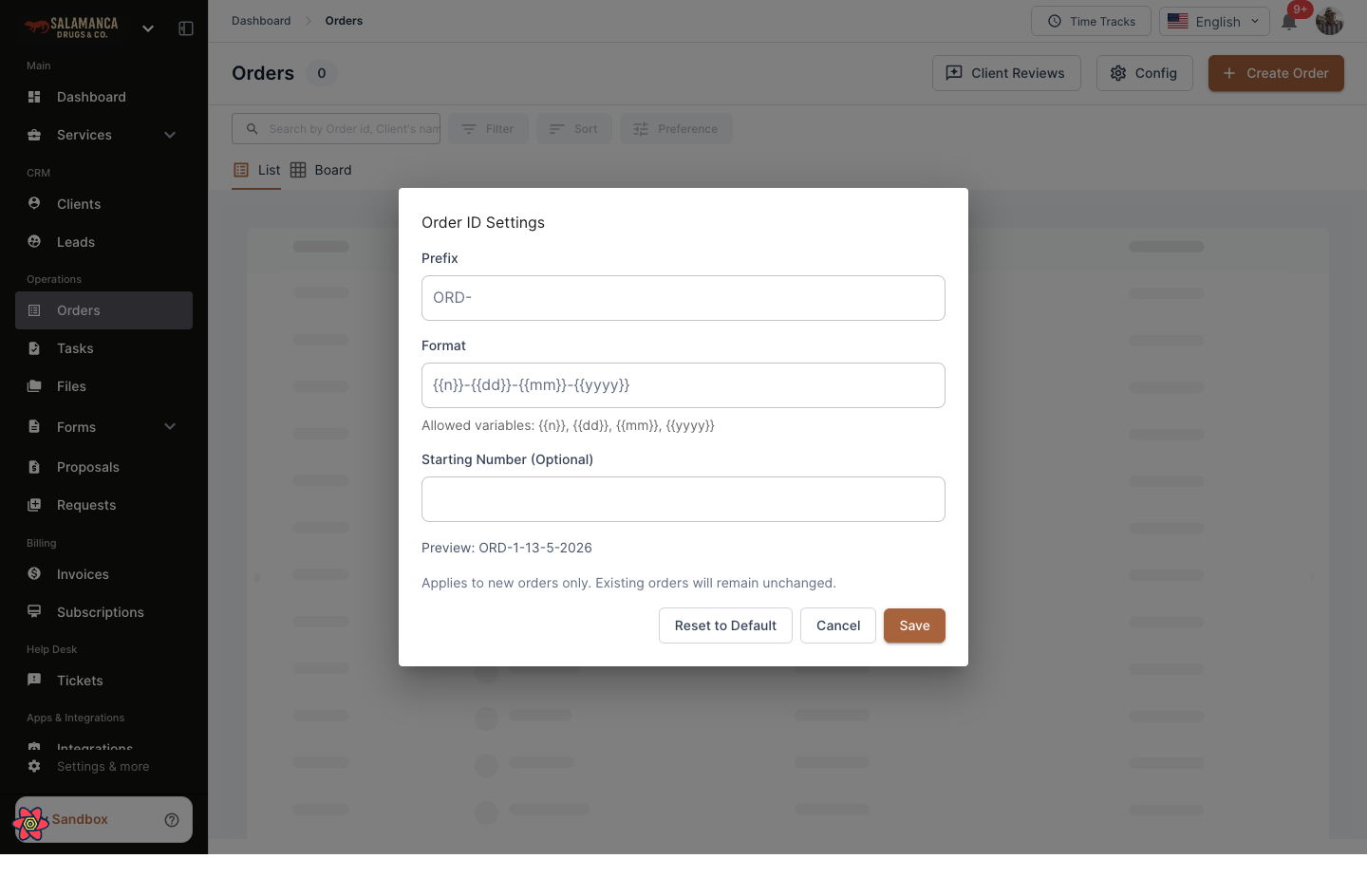
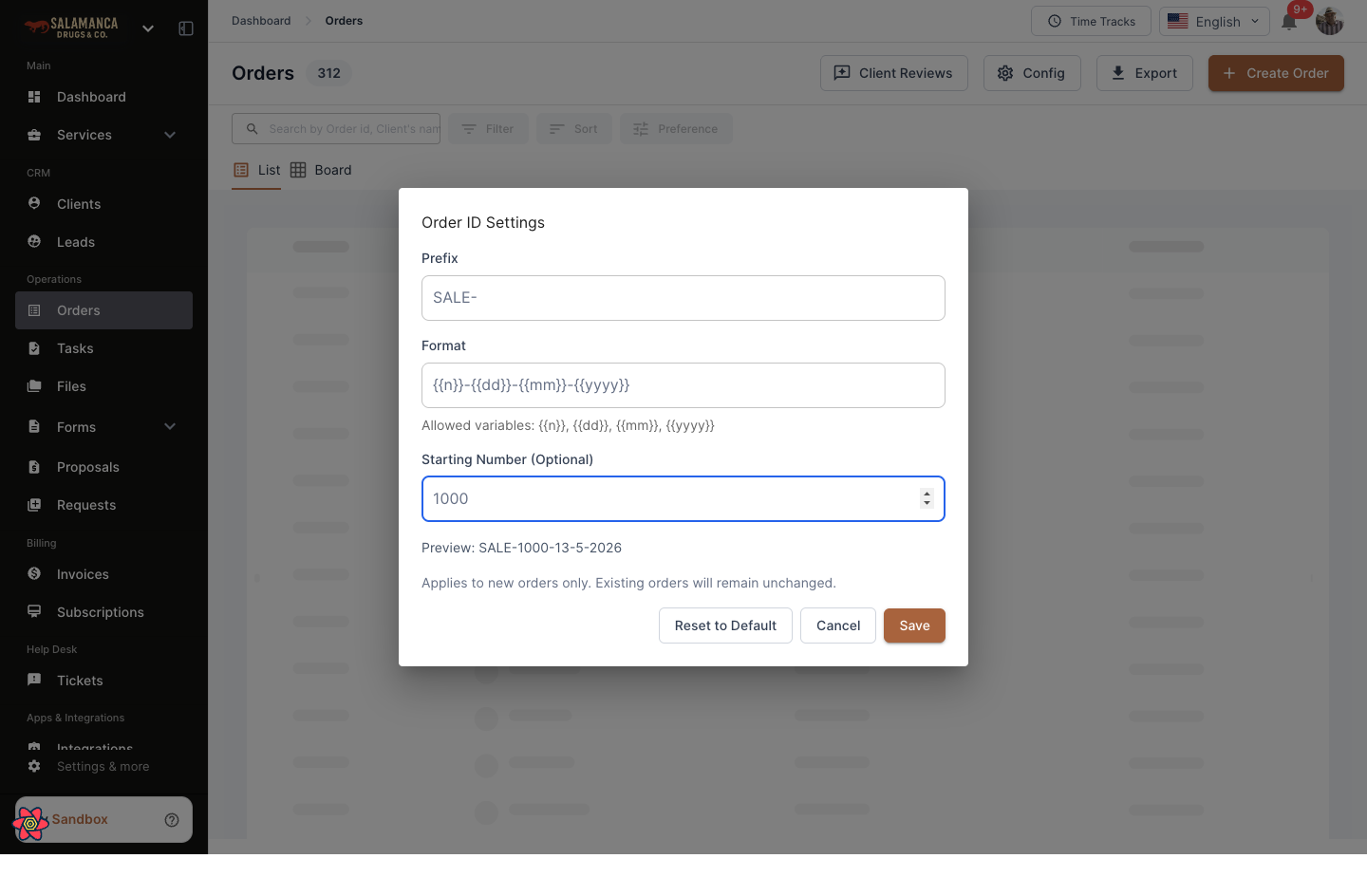
- In Order ID Settings, update:
- Prefix (example:
SALE-) - Format (example:
{{n}}-{{dd}}-{{mm}}-{{yyyy}}) - Starting Number (Optional) (example:
1000)
- Prefix (example:
- Check the Preview.
- Click Save.
Allowed Variables
{{n}}= sequence number{{dd}}= day{{mm}}= month{{yyyy}}= year
Example
If:
- Prefix =
SALE- - Format =
{{n}}-{{dd}}-{{mm}}-{{yyyy}} - Starting Number =
1000
Then preview will look like: SALE-1000-13-05-2026
Important Notes
- Changes apply to new orders only.
- Existing orders are not changed.
- Use Reset to Default to restore default settings.
- Use Cancel to exit without saving.
Please see attached images below for understanding screen flow.
 thank you for finally adding this feature has been very important feature I needed! Thank you so much!